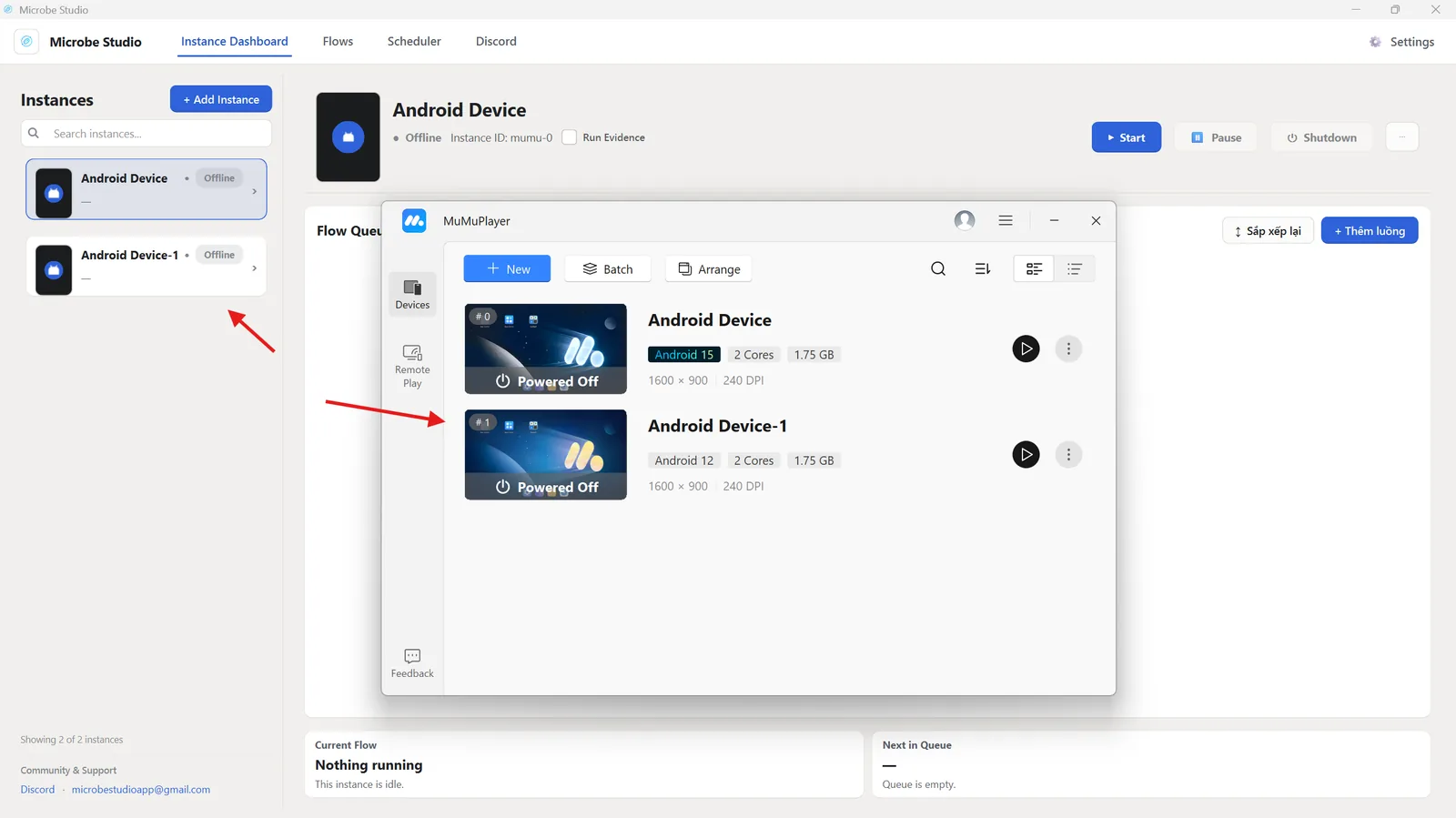
Troubleshoot mumu-cli.exe
Use this page when Microbe Studio cannot detect MuMu automatically.
Find mumu-cli.exe
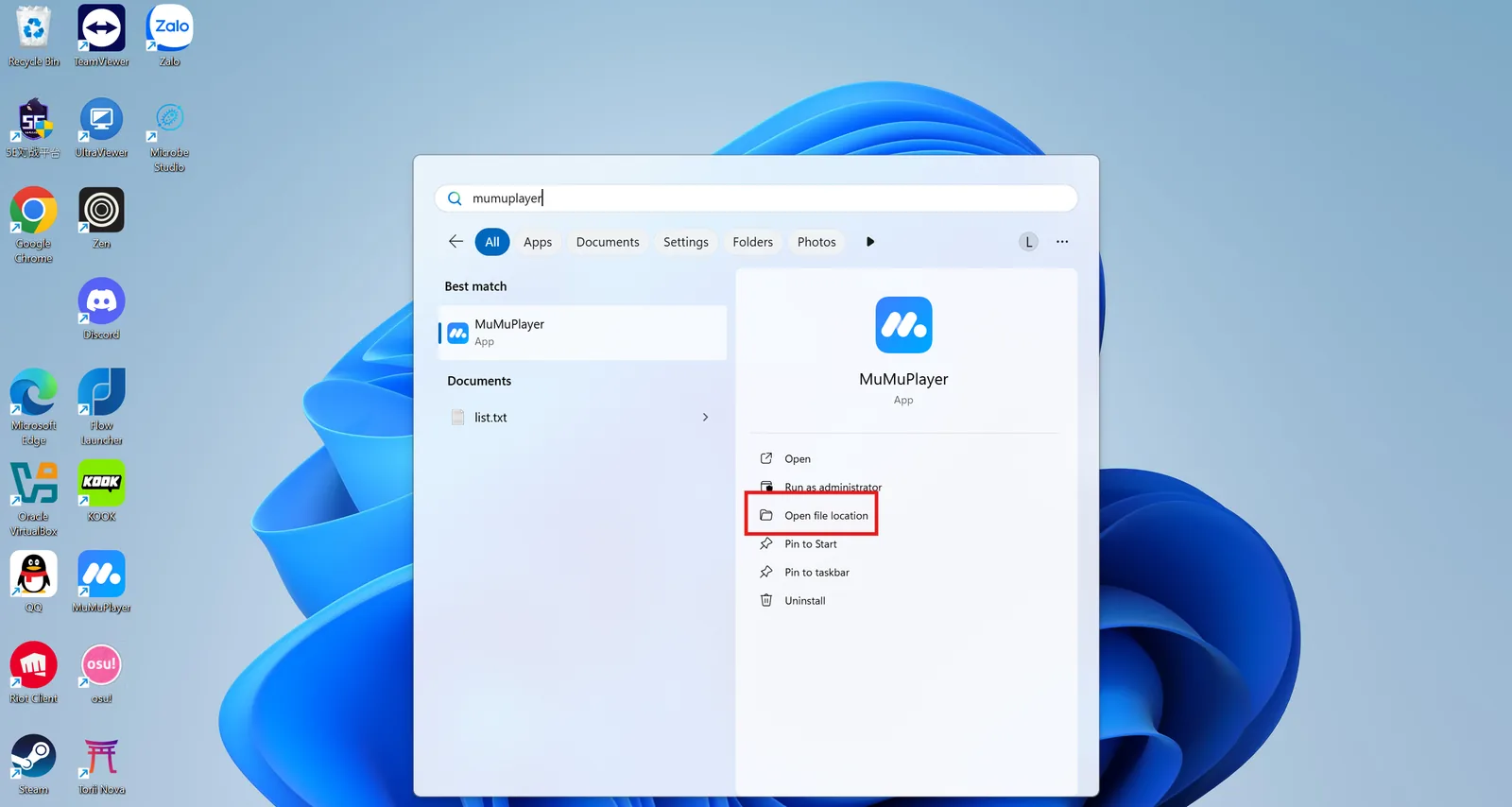
On Windows, search for MuMuPlayer, then choose Open file location.
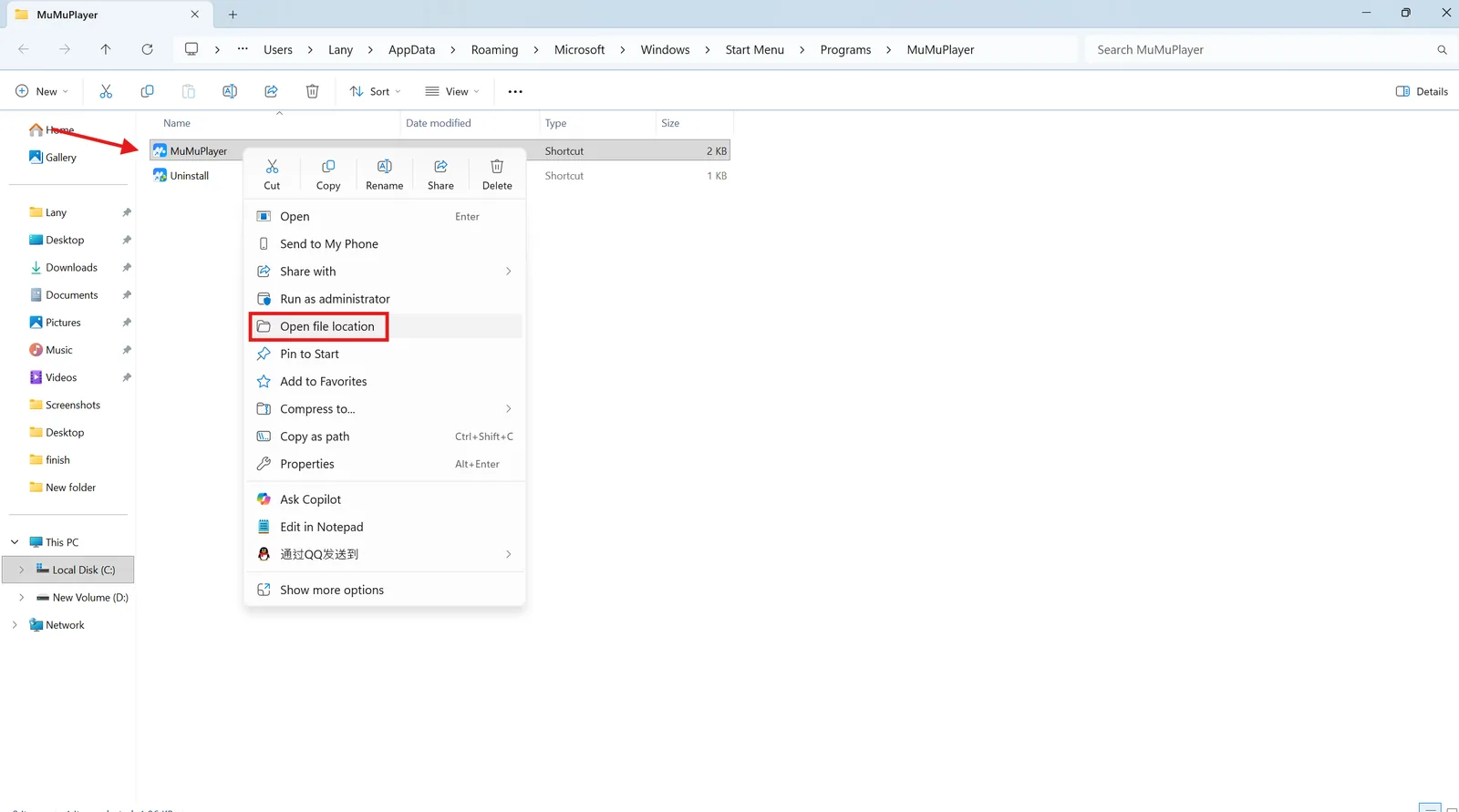
Right-click the MuMuPlayer shortcut and choose Open file location again if needed.
Find mumu-cli.exe in the MuMu installation folder.
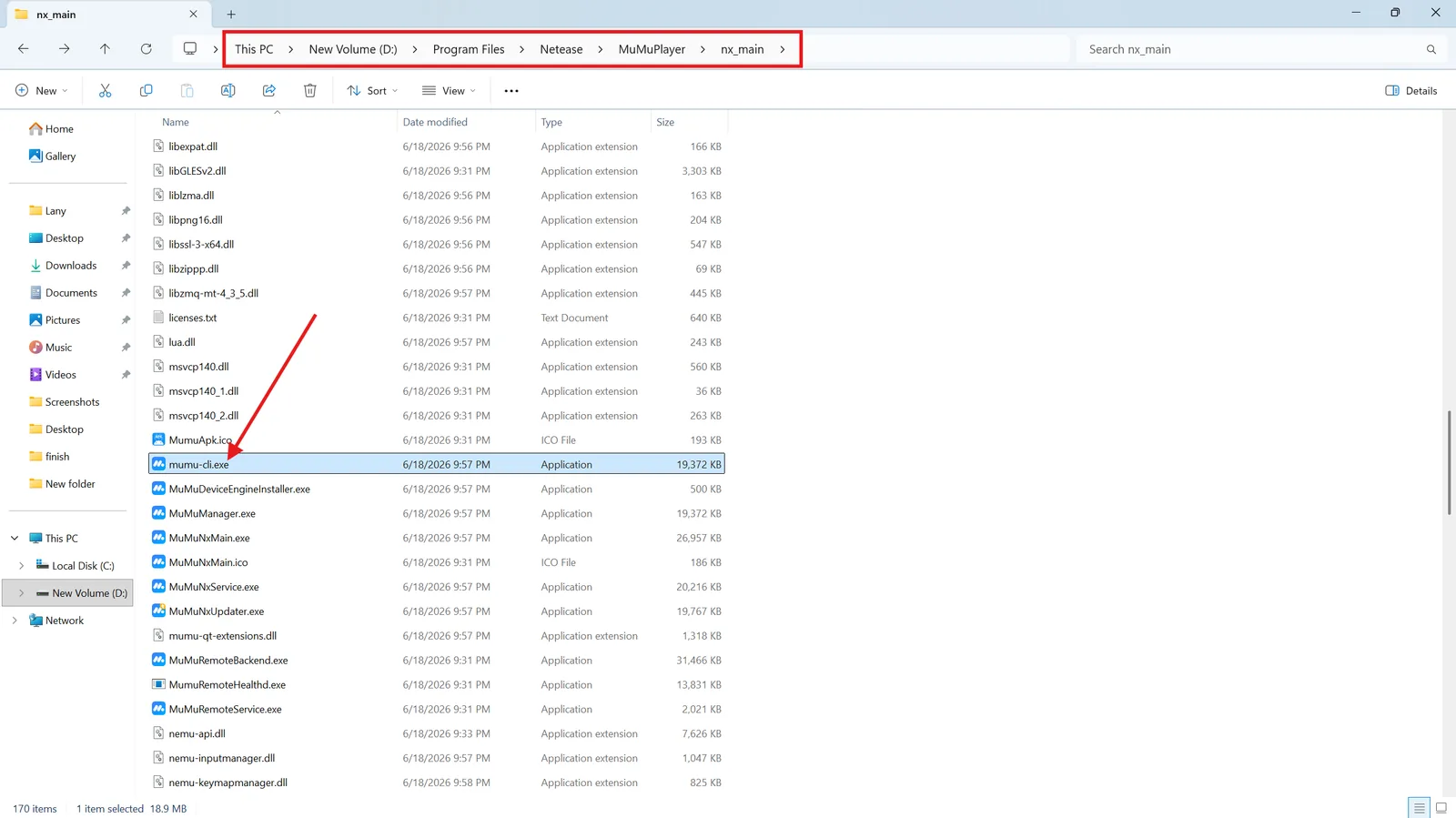
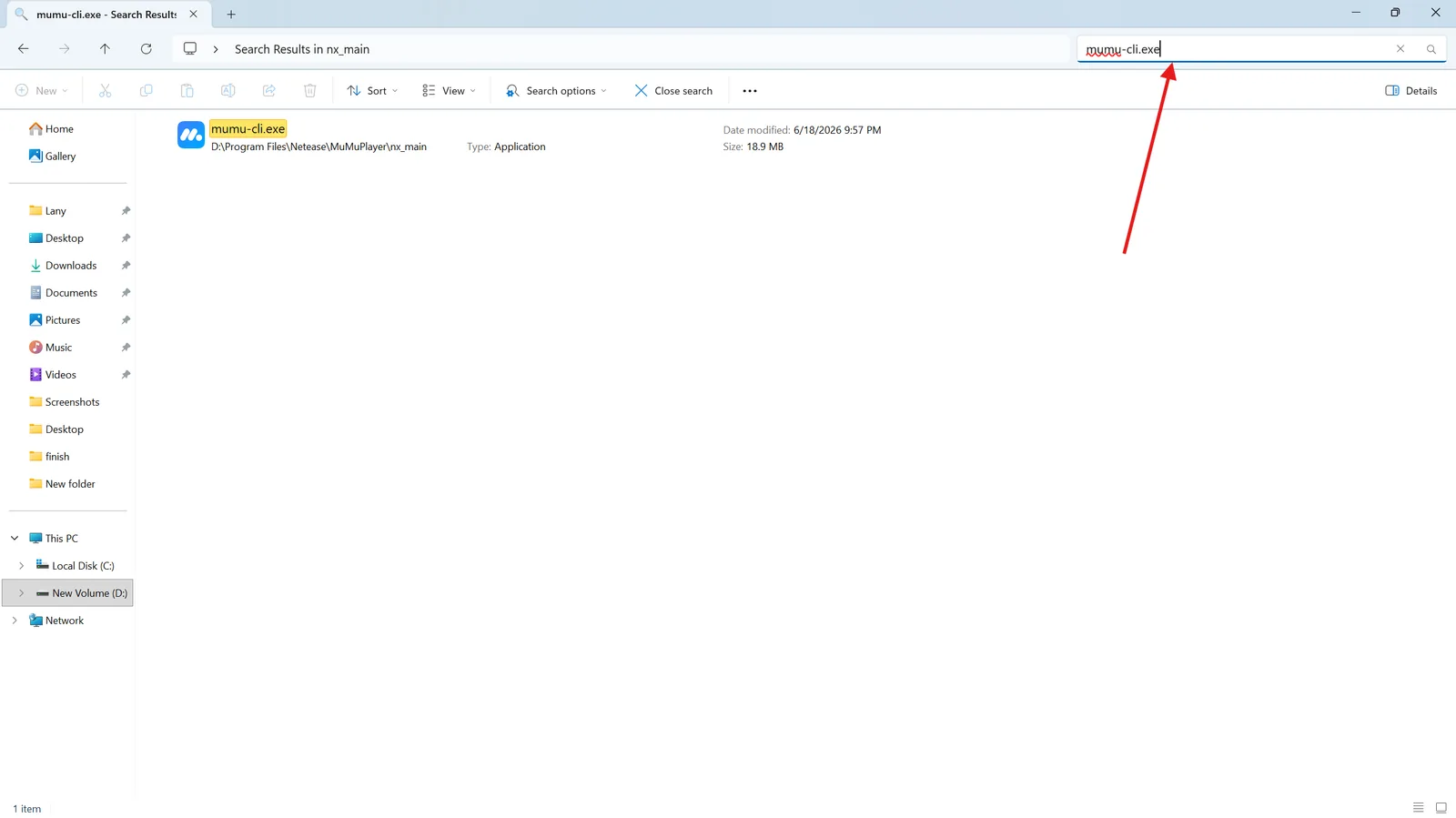
If it is hard to find, search for mumu-cli.exe inside the folder.
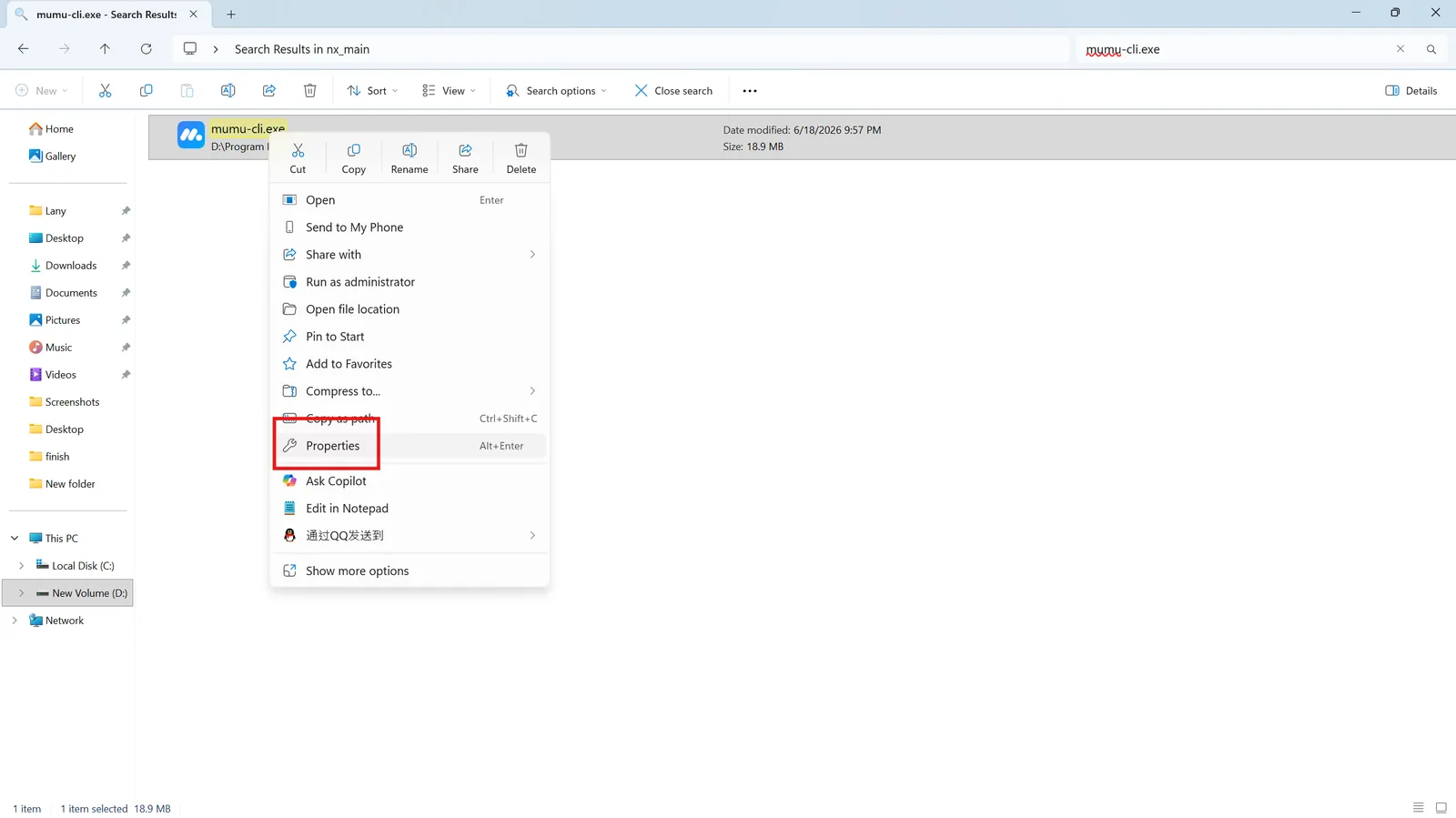
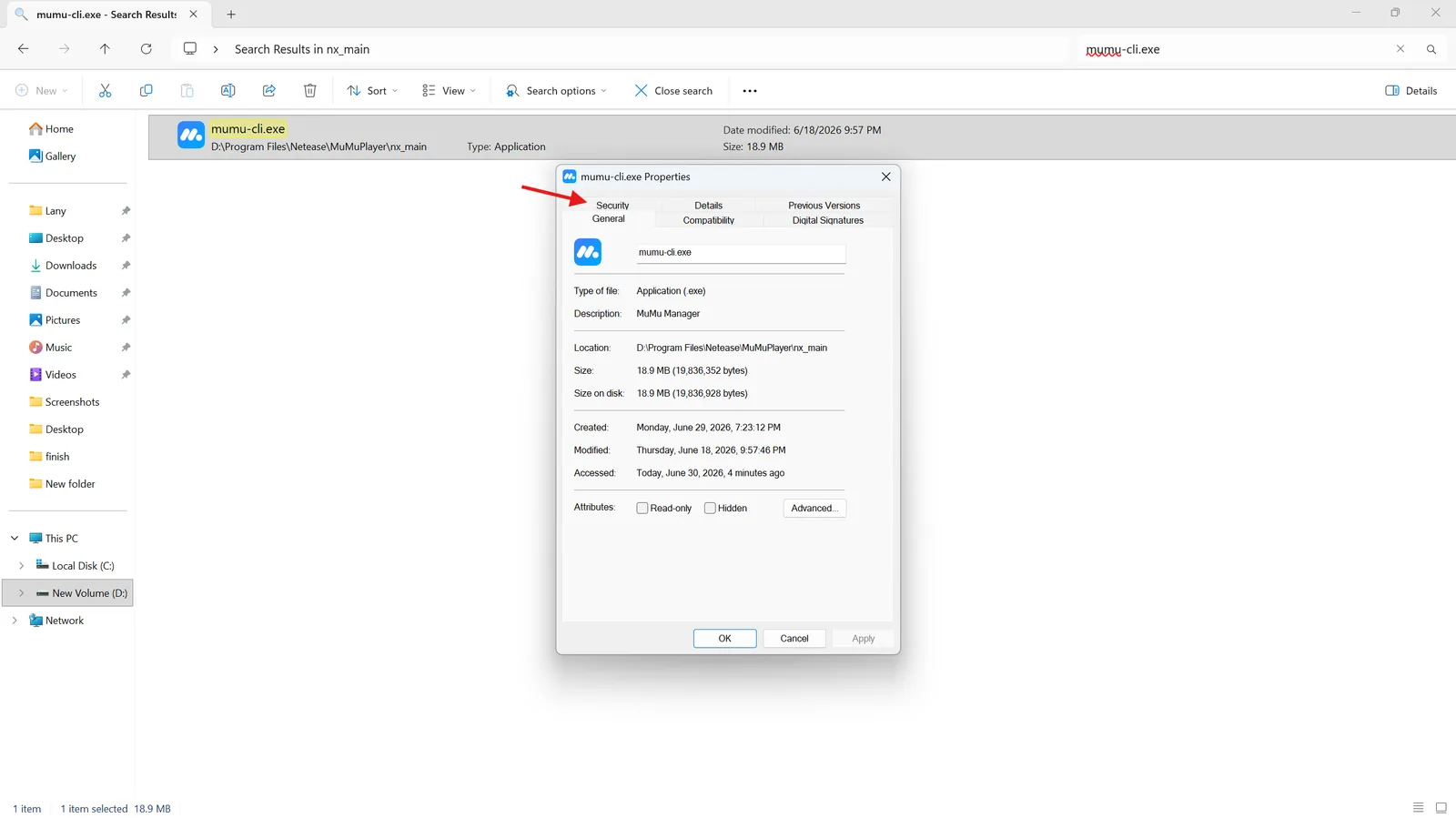
Right-click mumu-cli.exe, open Properties, and go to the Security tab.
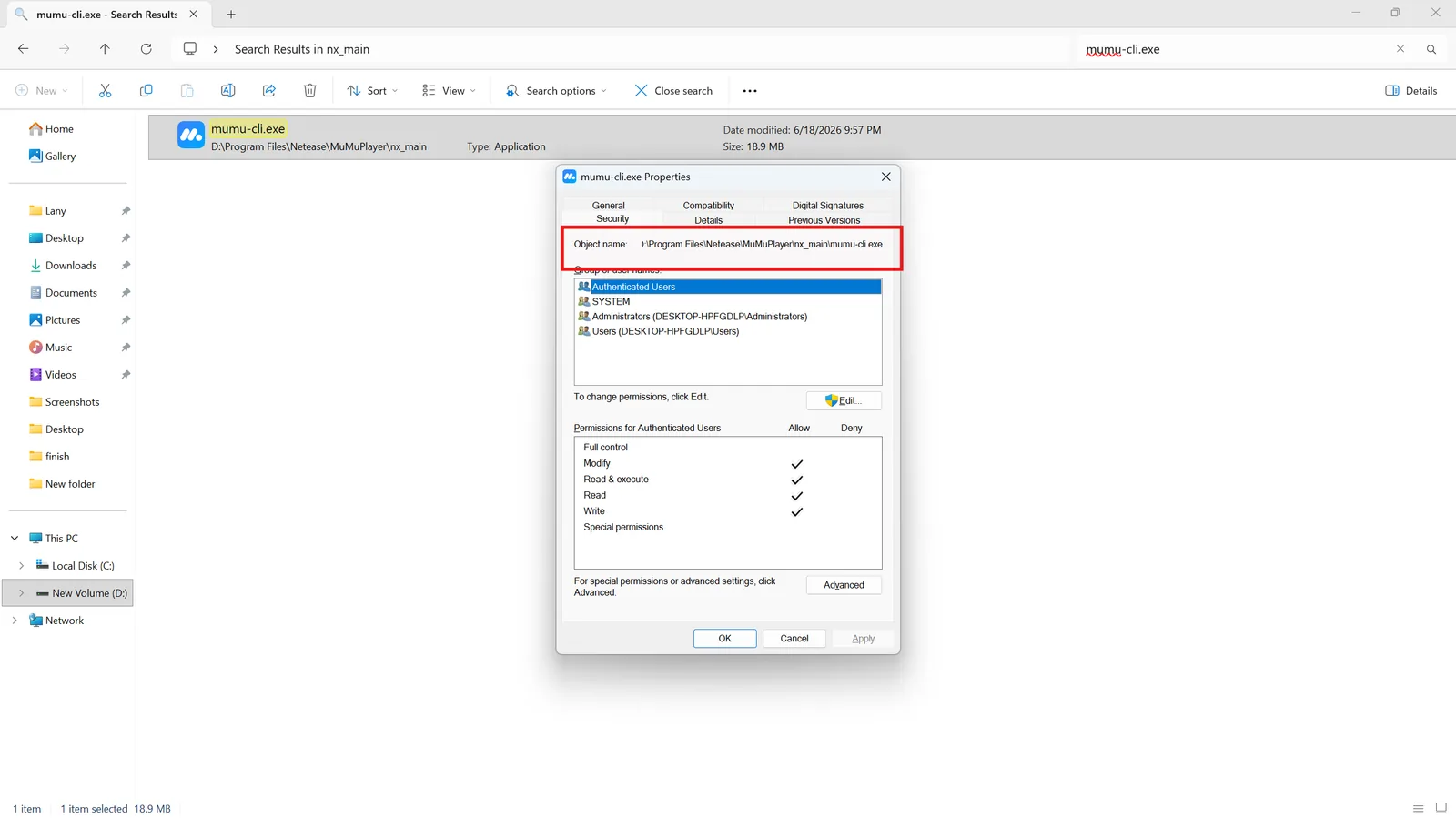
Copy the full path from Object name.
Paste that path into the MuMu CLI path field in Microbe Studio.
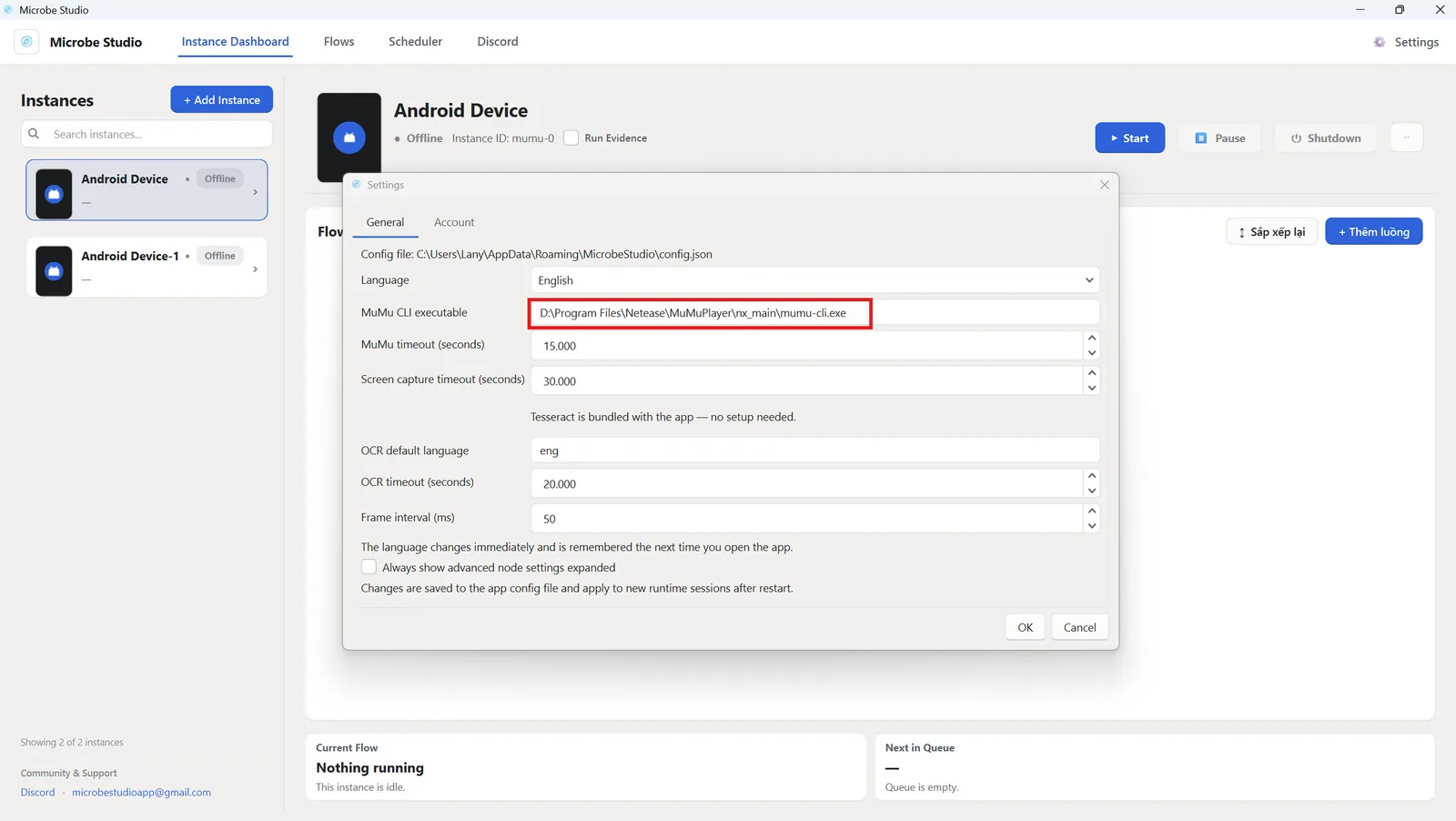
Close and reopen Microbe Studio. When the instance appears, the setup is complete.